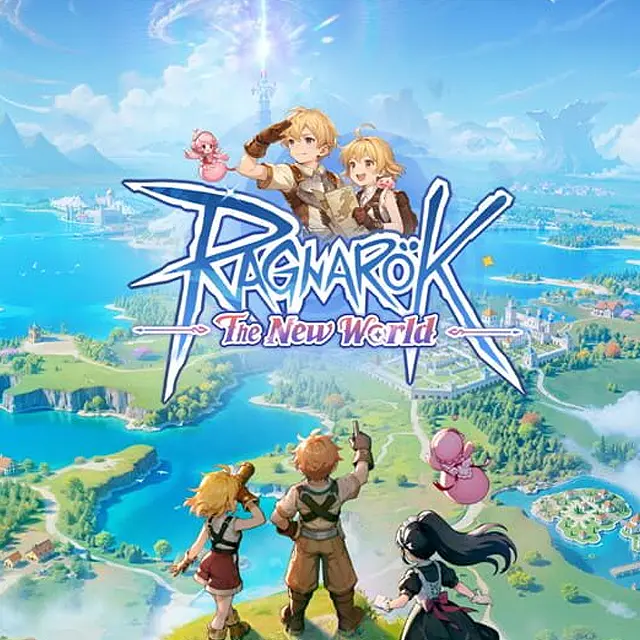
Ragnarok: The New World
⚡ Fast Process
💬 24/7 Chat Service
🌏 Region Philippines
💳 Secure Payment
⚡ Fast Process
💬 24/7 Chat Service
🌏 Region Philippines
💳 Secure Payment
How to Top Up Ragnarok: The New World
- Visit the GNJOY Portal.
- Log in to your account, select your character
- Select the product or denomination you want.
- Choose GOC Star as your payment method.
- Copy the payment URL displayed in your browser's address bar (Example: https://pay.goc.id/paymentchannel/gocstar/?paycode=72736a32-657a-4565-a57a-726a39716933.
- Return to Shinxp and paste the URL into the Payment Link field.
- Select the product denomination that matches your payment link.
- Complete the payment following the provided instructions.
- Contact Customer Service via WhatsApp with your login details and Order ID (e.g. P123456789).
Rating overview
0.0/5
5
0
4
0
3
0
2
0
1
0
1
Enter account details
- Login to https://pay.gnjoy.game/platform/officialTopupNew.html?gameId=456&srtl=3266.0.990987.0#/
- Select character
- Select Indonesia region
- Select denomination
- Select OOC Star as payment method
- Copy the payment URL example : https://games.oneone.com/api/northbound/orders/01KSZ0PV49FNFTT8VBM97TQB2K
2
Choose item
3
Choose payment method

4
Got voucher code
5
Order confirmation (Required)
Required: If there are problems, you will be contacted via E-mail
By purchasing I automatically agree to Terms of Service
Rating overview
0.0/5
5
0
4
0
3
0
2
0
1
0

SHINXP

WhatsApp
